seqavo

Little apps that mind their own business.

Native tools for Mac and Android, built for daily use. No accounts, no analytics, no subscriptions.

Out now

Mailcoach

Android

Your mail, fast and locked down.

Mailcoach keeps your mail in an encrypted copy on your phone, so the inbox opens instantly. Archive, star or delete on a bad connection and it still goes through.

v2.5.2, Android 13 or later. Gmail, Outlook and Live, or any IMAP account. Free.
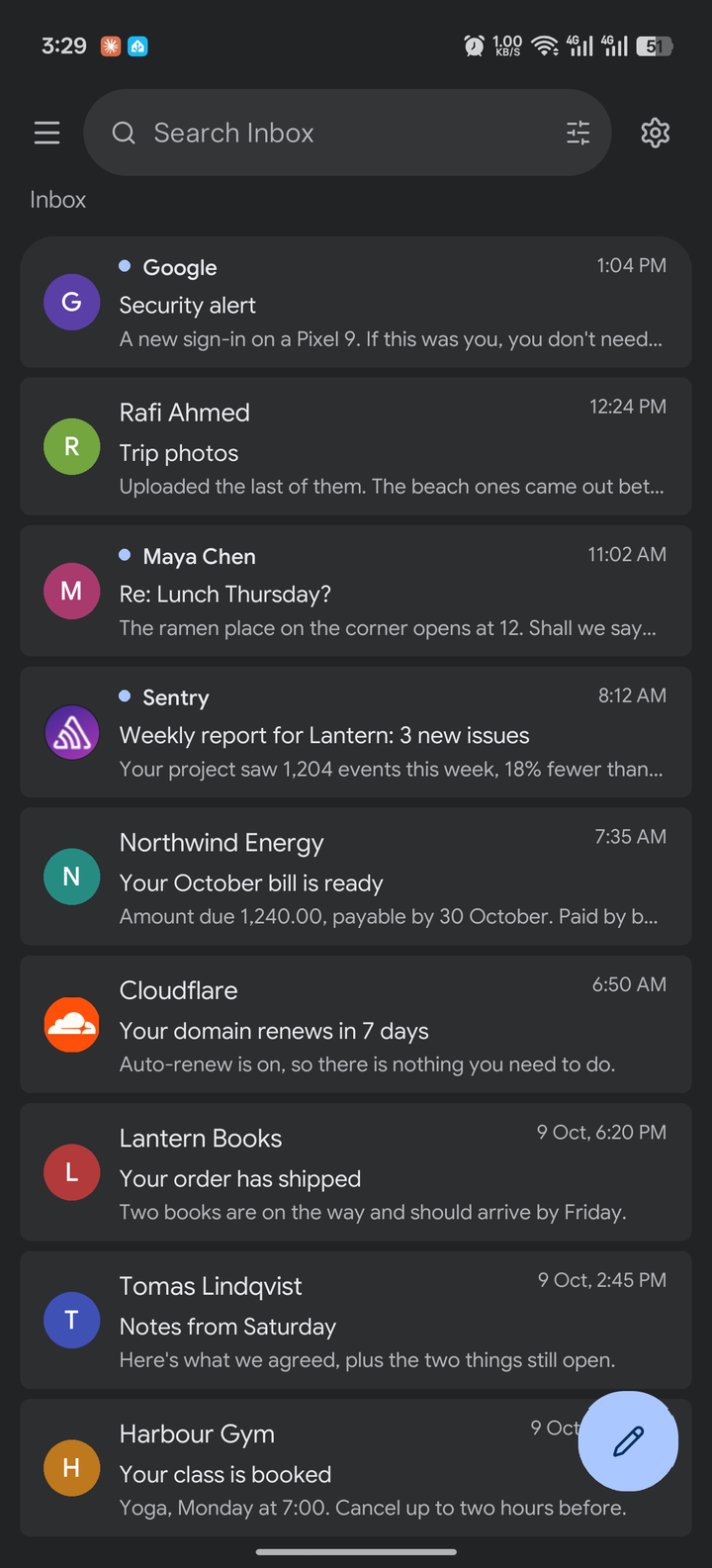
Mailcoach's inbox: unread mail marked with a dot, each row showing sender, subject and the first line

Coming soon

In daily use already, and released once they’ve earned it.

Flume

Mac

The IDM you missed, made for the Mac.

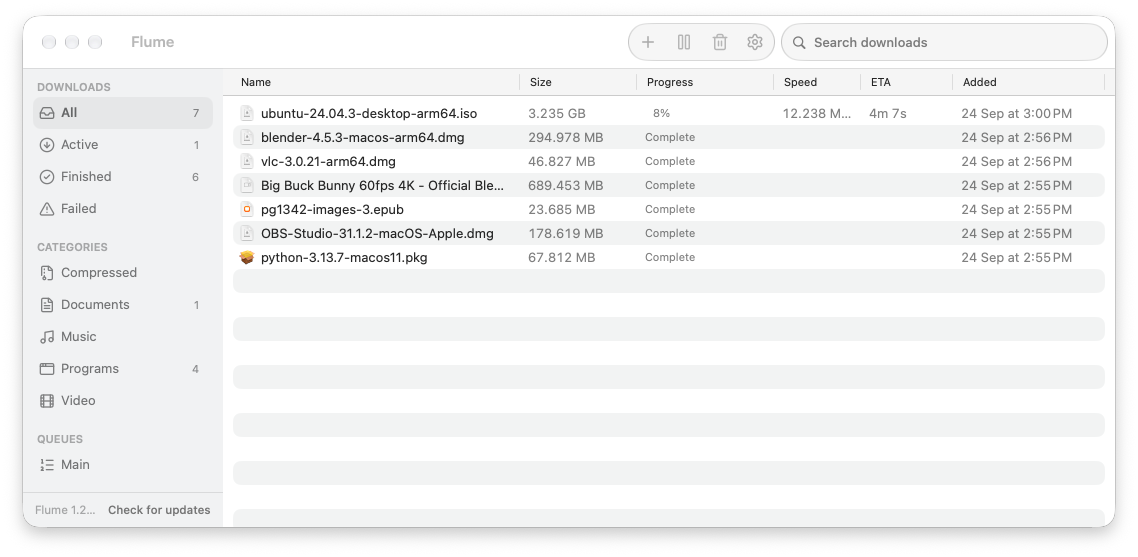
If you used Internet Download Manager on Windows, Flume is that for your Mac. It catches downloads from your browser, splits each file across many connections, and saves video from the page you’re on. Pause, quit, lose Wi-Fi: it picks up where it left off.

Coming soonMore about Flume

v1.30.0, macOS 14 or later, Apple silicon. Free.

Flume's main window: downloads sorted by category, one in progress

AirBridge

MacAndroid

Tap Share. It lands.

Your Mac shows up in your phone's share sheet, and your phone shows up in your Mac's share menu. Files and copied text go straight across your Wi-Fi, encrypted end to end. They never touch a server.

v0.7 for Mac, v0.6 for Android. macOS 13 or later, Android 8 or later. Free.

photo.jpg landed

airshot

Mac

Screenshot, mark up, paste.

airshot freezes your screen the moment you press the shortcut, so you draw on a still image. Add arrows, text and numbered steps, blur what shouldn't be seen, then paste it anywhere.

macOS 14 or later. Free.

1

Klipboard

Mac

Everything you copied, one keystroke away.

Press V to see what you copied today, images included. Type to search, even for words inside a screenshot, and press Return to paste it.

macOS 26 or later, Apple silicon. Free.

Recent updates

What changed lately, across the apps.

  1. MailcoachSign in by picking a Google account that is already on your phone.

  2. AirBridgePair by scanning a QR code, now also on phones without Google Play.

  3. FlumeSend a problem report from Help › Report a Problem…, with logs if you want them included.

  4. KlipboardPin items to keep them at the top, and ignore copies from apps you choose.

  5. airshotCapture a region that spans every display, with its own shortcut, ⌥F13.

Questions

Are they really free?

Yes. Every app is free to download and use, with no ads and no subscription.

Do I need an account?

No. There is no seqavo account. The only sign-in anywhere is Mailcoach asking for your Gmail, because that is where your mail is.

What do the apps send back?

No analytics and no crash reports. The apps check dl.seqavo.com for new versions, and a bug report leaves your device only when you send one. Each app’s page lists exactly what it can access.

How do I install an app that isn’t from a store?

On a Mac, open the download, drag the app into Applications and open it. The first time, macOS blocks it: go to System Settings Privacy & Security and click Open Anyway. On Android, open the APK and allow installs from your browser when asked.

When will the other apps be out?

Each one is released once it has held up in daily use. Its page will offer a download the day it is ready.

How do I hear when a new app is released?

Leave your email in the box at the bottom of any page. You get one email when an app is released, and nothing else.

I found a bug. Where do I report it?

Write to [email protected]. Flume can also send a report itself, from Help Report a Problem….

Why these exist

seqavo makes small apps for Mac and Android. Each one started as a missing tool: a download manager that could resume, or a way to get a photo from an Android phone onto a Mac. An app is released once it has survived daily use.

Hear when a new app is out

One email when an app is released, and nothing else. Every email has an unsubscribe link.